Games Directory

Thursday, 1 December 2011

Microsoft FrontPage:EndOf Frontpage

Dear Visitors,i teach you the very basics of Web designing.In frontpage we learn....
You can now make a very simple website.,but this is just the begining...

Microsoft Office 2007 is packaged in seven different bundles. However, Microsoft Frontpage is missing from all the permutations and combinations of Office 2007.

Microsoft Frontpage is being replaced with Microsoft Office SharePoint Web Designer 2007 and Microsoft Expression Web Designer - both of them are based on Microsoft FrontPage but serve different audiences.

Old Wine in New Skins - Paul Thurrott remarks that Microsoft Office SharePoint Designer 2007 is virtually identical to Microsoft Frontpage. Old Wine in New Skins

Microsoft SharePoint Web Designer vs Microsoft Expression Web Designer
Microsoft Expression is more for professional Web designers building standards-based sites, while Microsoft SharePoint is aimed more at typical cubicle dwellers looking to post information on internal Web sites and automate business processes.

Microsoft Frontpage Rise and Doom
Microsoft acquired FrontPage in the mid-90s, virtually killed Adobe PageMill and other WYSIWYG HTML tools before being dethroned by Adobe GoLive and Macromedia Dreamweaver.

 Now I have teach you, the very basics of Web Designing…, Now we are move to the very Advance level.
In the previous Section you learn how to apply themes,insert pictures and videos, apply hyperlinks to the desired words, apply word arts, and how to Insert tables…
Now I am going to discuss the, upgrade version of Micrsosoft  Frontpage,  Now known as Microsoft SharePoint Designer 2007..,I will discuss all the things on the advance level, helpful to create a very attractive websites…
In this version you can observe new tools and new arrangements…If u learn all the things that I tell u in 2003 version, U will never ever Suffer any Problems in Future..So fasten your seat belt…DDD

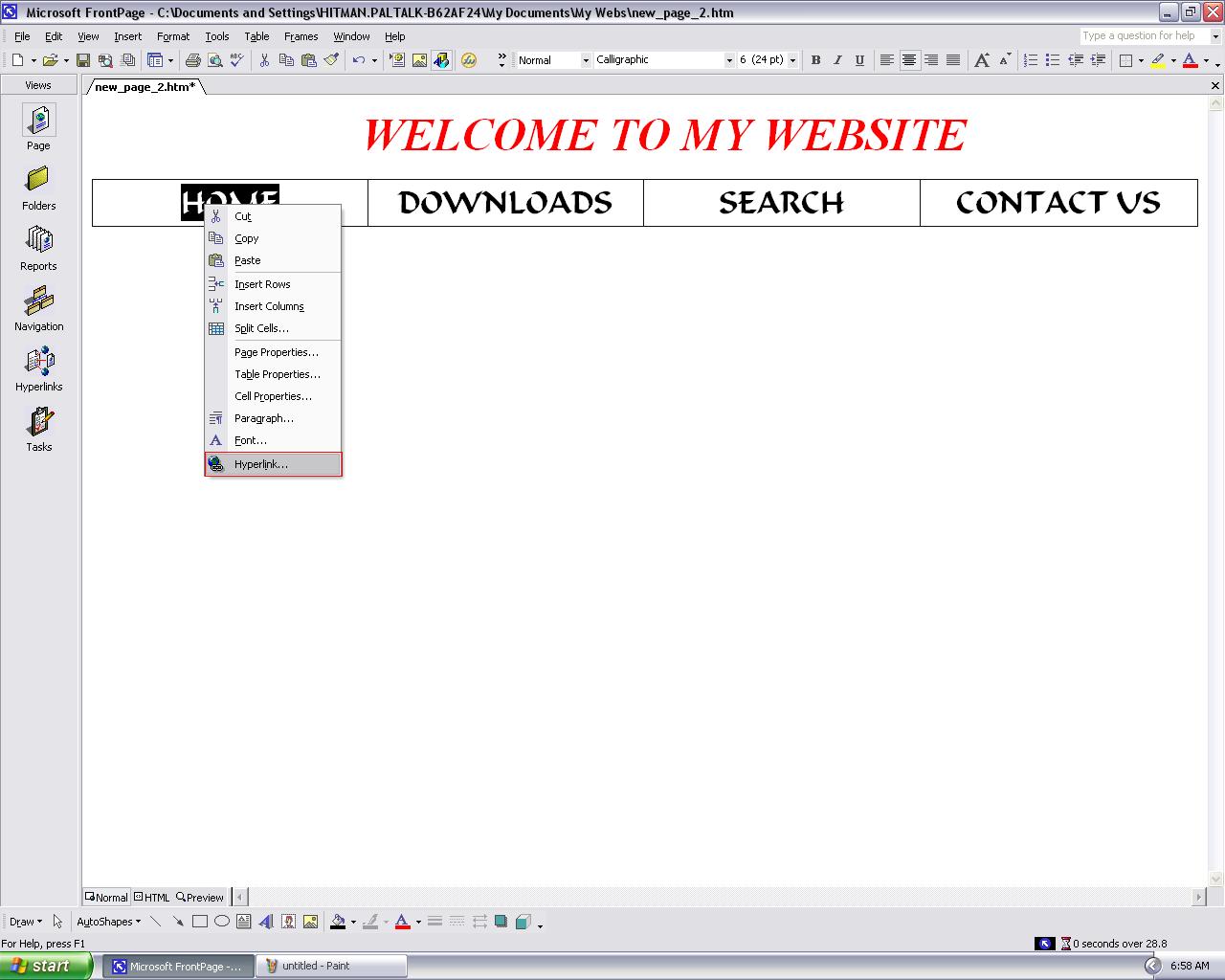
Microsoft FrontPage:How to Give Hyperlinks

Hyperlink is one of the most Important thing in the Web Designing.It combine Multiple pages to the single web page.


First of all,select the word you want to give hyperlink.


Then Right click on the word after selecting word and then click on the "Hyperlink" option.


Select Your page you want to connect with the word.


Save this page into your computer and observe the effects on your personal web browser.


Microsoft FrontPage:How to Add Hover ButtoN

First of all,go to the "Web Components" and click it.


Choose "Hover Button" present in the "Dynamic Effects" and click it.


Name your button,choose color,style,size and effect color and click on the "Ok" button.


Save this page into your computer and observe the button into your personal browser.

Microsoft FrontPage:How to Add AutoShapes

First of all, click on the "AutoShapes"  button situated at the bottom.
You can select any shape from here.


Now when auto shapes appear on the page,double click on to apply changes in it like Transparency,Color,Size,Style etc.


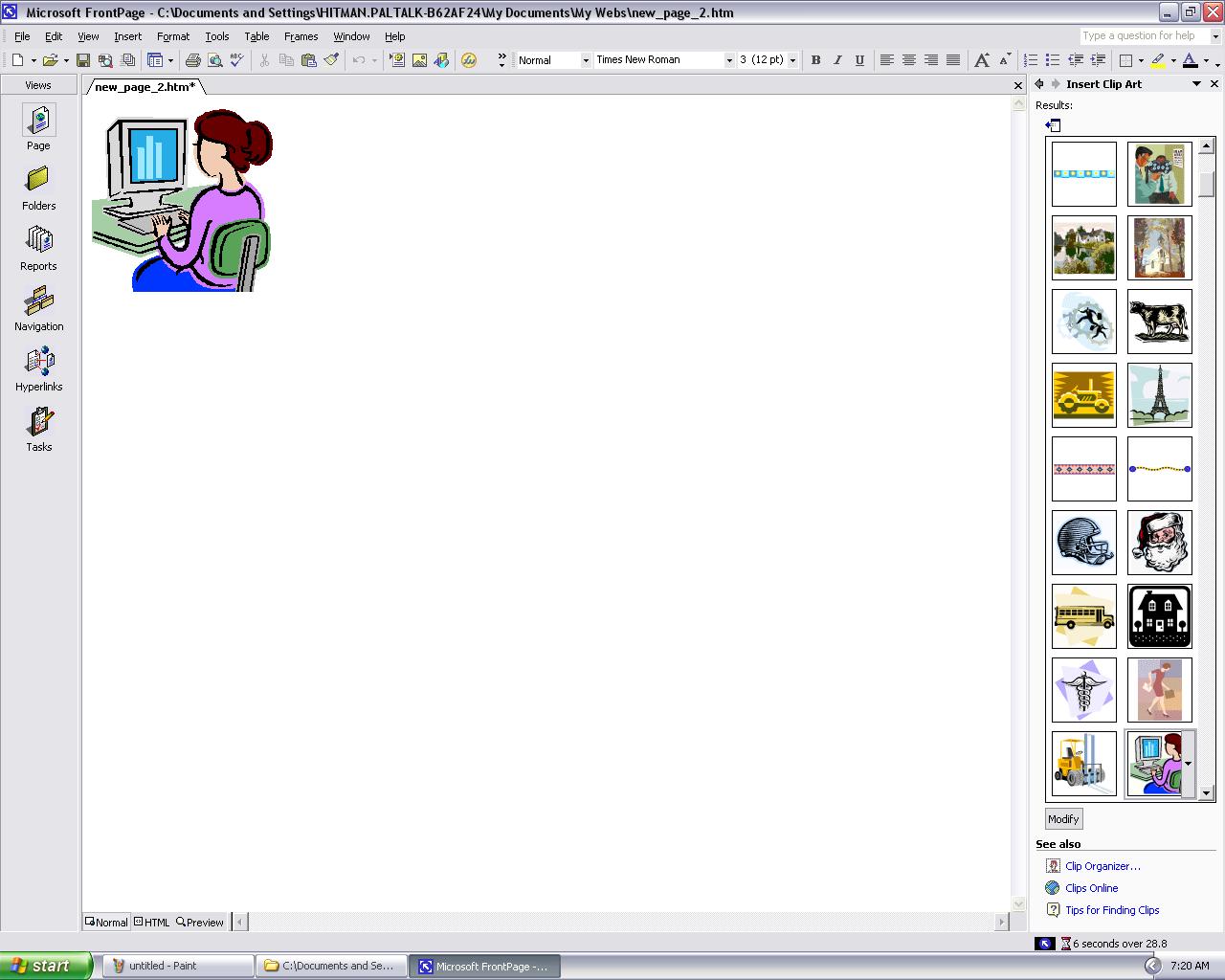
Microsoft FrontPage:How to Add Pictures and Videos

First of all, click on the "Insert"  button.
Move your pointer to the "Picture".
You observe Many options in it,you can add videos or picrures easily on the web page.


Now select any picture.


You can also Add pictures from Your personal computer easliy through button "Insert picture from file" as shown in showcase.


Monday, 28 November 2011

Microsoft FrontPage:How to Insert Marquee

First of all go to the "Web Component" icon as shown in figure.
Then click on it.


Then click on the "Marquee" situated in "Dynamic Effects".


Then Enter the text you want.,select your desired settings,color,size,behavior,direction and speed..
Click on the "Ok" button.
Then save it into your computer and prview it into your web browser.

Microsoft FrontPage:Use of Word-Art

First of all go to the bottom.
Here you find "A" button.
Click on it.


Then select your favorite Word Art.
Then click on the "Ok" button.


Then You will see that a box will apear.
Enter the text you want and chose your desired font and size of font.
Then click on the "Ok" button.


Then you will observe like that..


http://www.freeprwebdirectory.com/business_and_economy/law/